If you have added a new user in Back Office you need to also insert an existing menu.
Exporting a menu:
1. Open “System Setup” from the left sidebar and select the “Menu Editor” section.


2. Select a user from the drop down Menu that already has a menu (for eg. ADMIN).
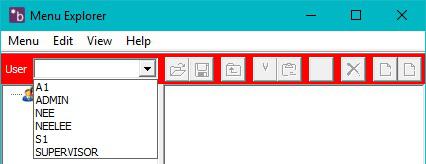
3. Click on the 'export menu' icon on the right-hand side of the window.

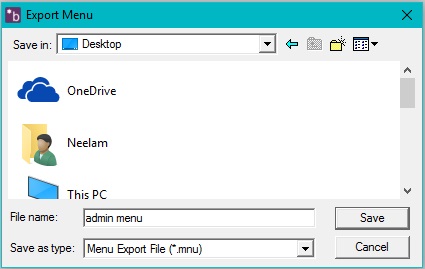
4. Name the menu and save where you will remember. Click 'Save'.
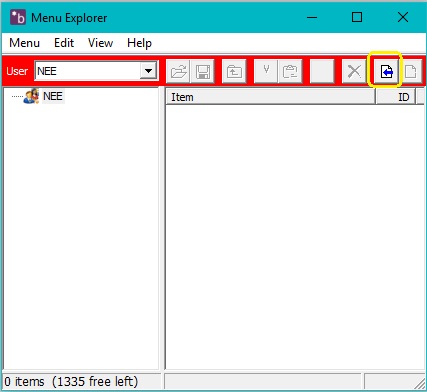
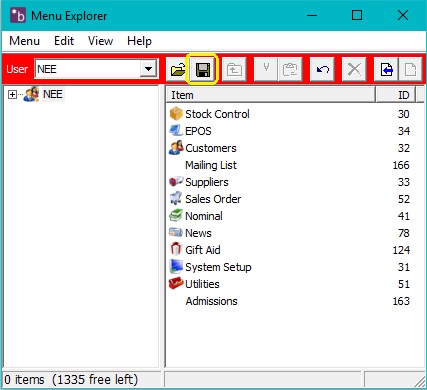
5. Select the user from the drop down menu you created previously to add the menu to. You will see that there is no menu on the right-hand side. Click on the 'Import file' icon.
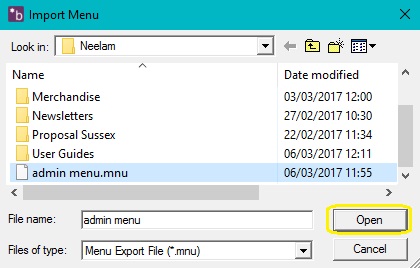
6. Find the admin menu you saved earlier and click 'open'.
7. The menu should now appear on the right hand-side. Click on the 'Save' icon. Exit Merlin Back Office
and re-load on the new user. The Menu's should now be available.
0 Comments