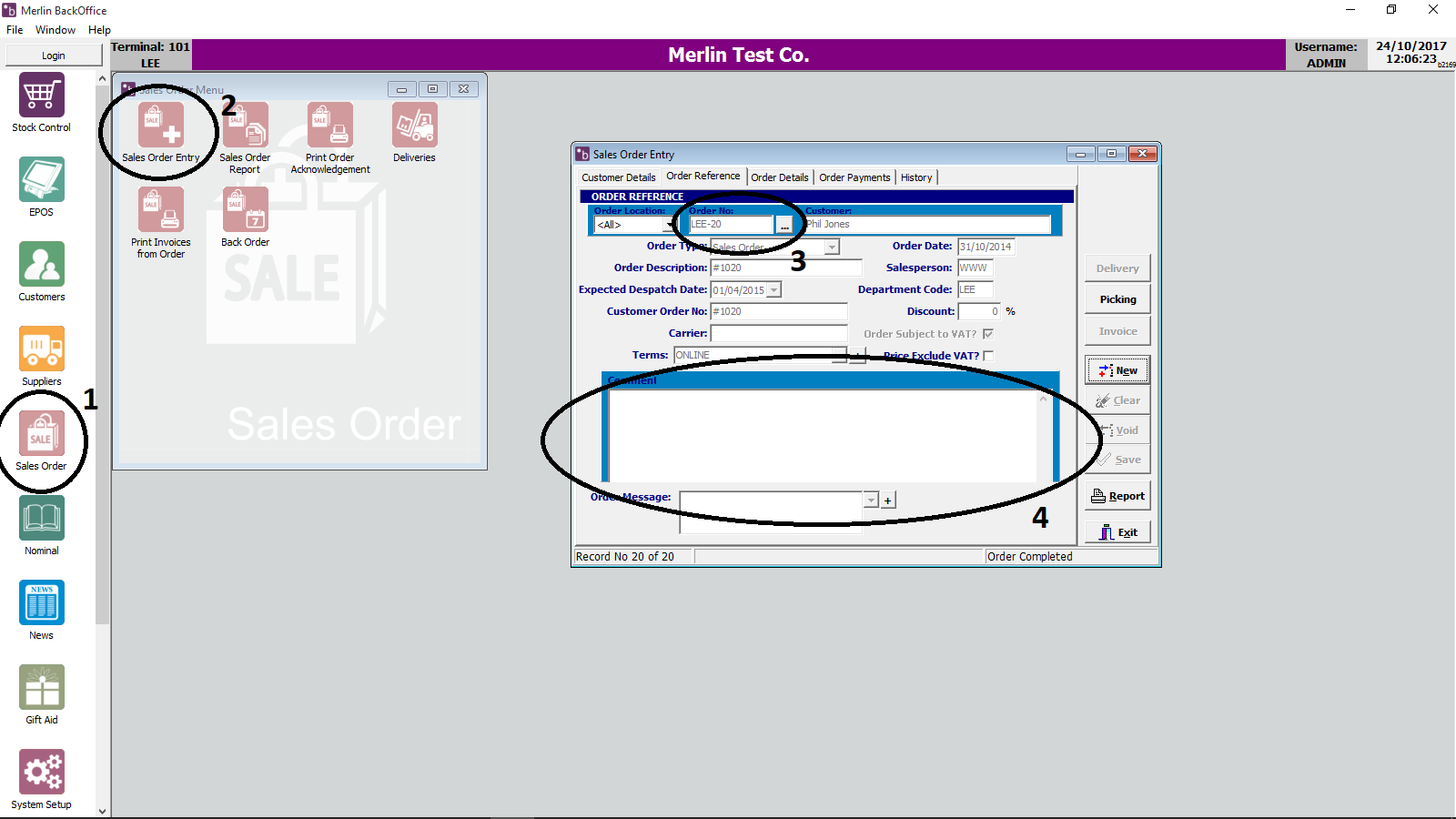
If a comment box is present at the cart page, this is where the information is currently sent.
Login to Merlin back office, then;
1. Load the “Sales Order” menu (if this isn’t included then it may need adding as a menu option)
2. Load “sales order entry”
3. Search for the order you’d like to see more detail of.
4. Any comments added at the cart page will be present here. The comments box is optional so this may be blank.
Still need some help? Get in touch at www.merlinsoft.co.uk/contact
0 Comments