This is for users with admin access to Merlin Tickets. You can access the admin area by viewing your website (e.g. https://merlindemo.merlintickets.co.uk) then adding /admin to the end of the URL (e.g. https://merlindemo.merlintickets.co.uk/admin)
In order to let the public see your events, you need to place them onto an area on the website which helps categorise the events you wish to sell tickets for. This is referred to as a "category"
Note: Merlin Online from the box comes with a premade category titled 'Events' in which you can place your events from the get go. Creating new categories is recommended for housing other products on your page, such as (but not limited to): special events and/or holiday events.
You must have already created an event and tickets prior to starting this step, check out the step-by-step tutorial for creating events here
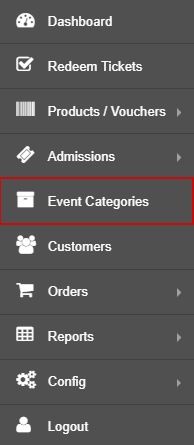
To access this area, go to your admin area and navigate to: Event Categories
Then click 'Create a new category'
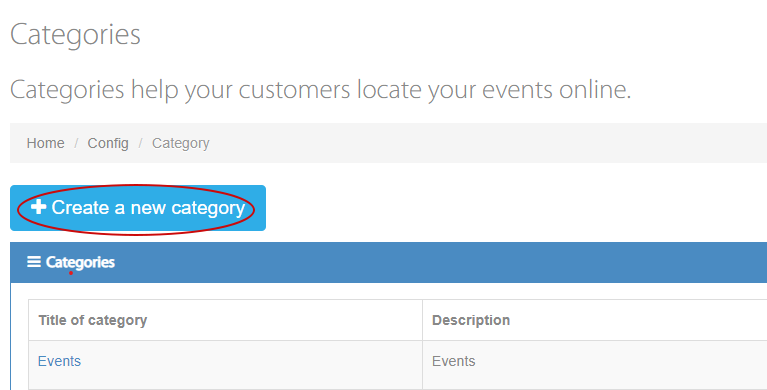
Each new category creates a new area on the website that allows your events to be housed onto.
You can categorise special events (birthday parties), holiday events (Christmas, Easter, Eid) and many more to make it easier for your customer to differentiate.
Creating a category:
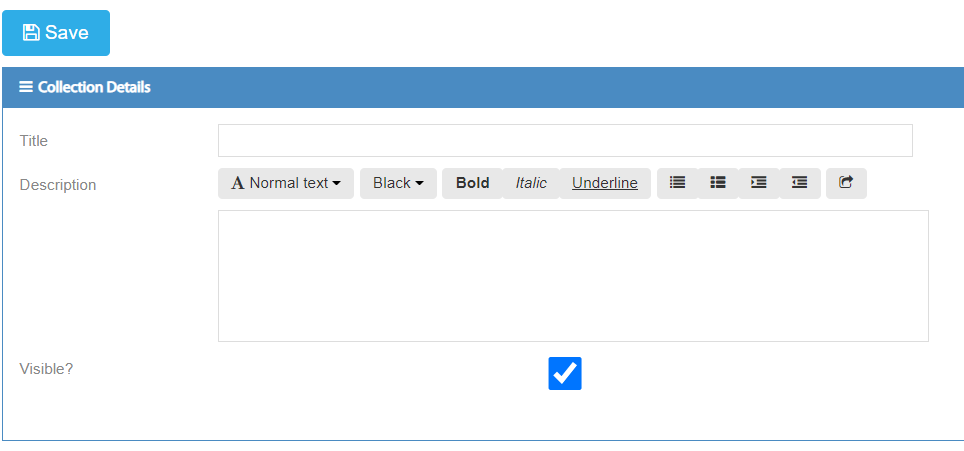
Title: This is the primary text displayed to the end user on the website's events landing page.
Description: This is displayed on the page above all the events placed in this category and is there to describe and provide insight to the customer.
Visible: This allows you to display or hide the category from the end user.
You have now created a category, now it's time to add some events to it
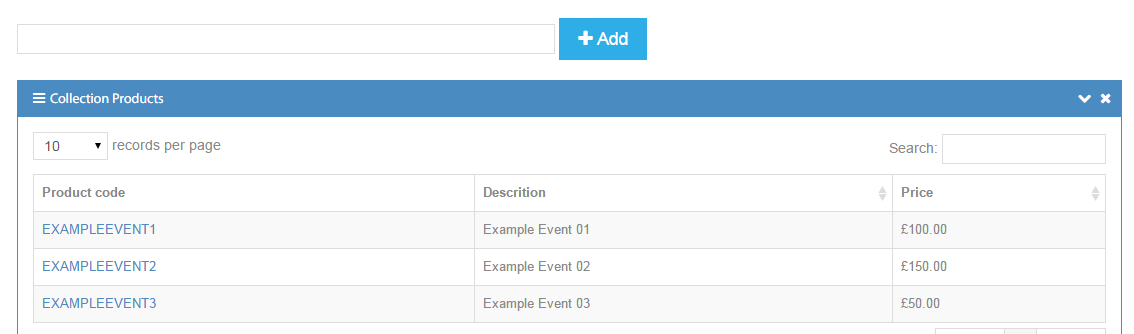
To add events to this category type in the event code or event title, of the event you want to add, in the text box provided on the category's page and press “+Add”

All events added to that category are displayed below the “+Add” box.
You can delete categories that you no longer use by clicking the  icon next to the category's name.
Your events should now be displayed on your website under the category you have created.
Still need some help? Contact us on +44(0)1226 294413
0 Comments