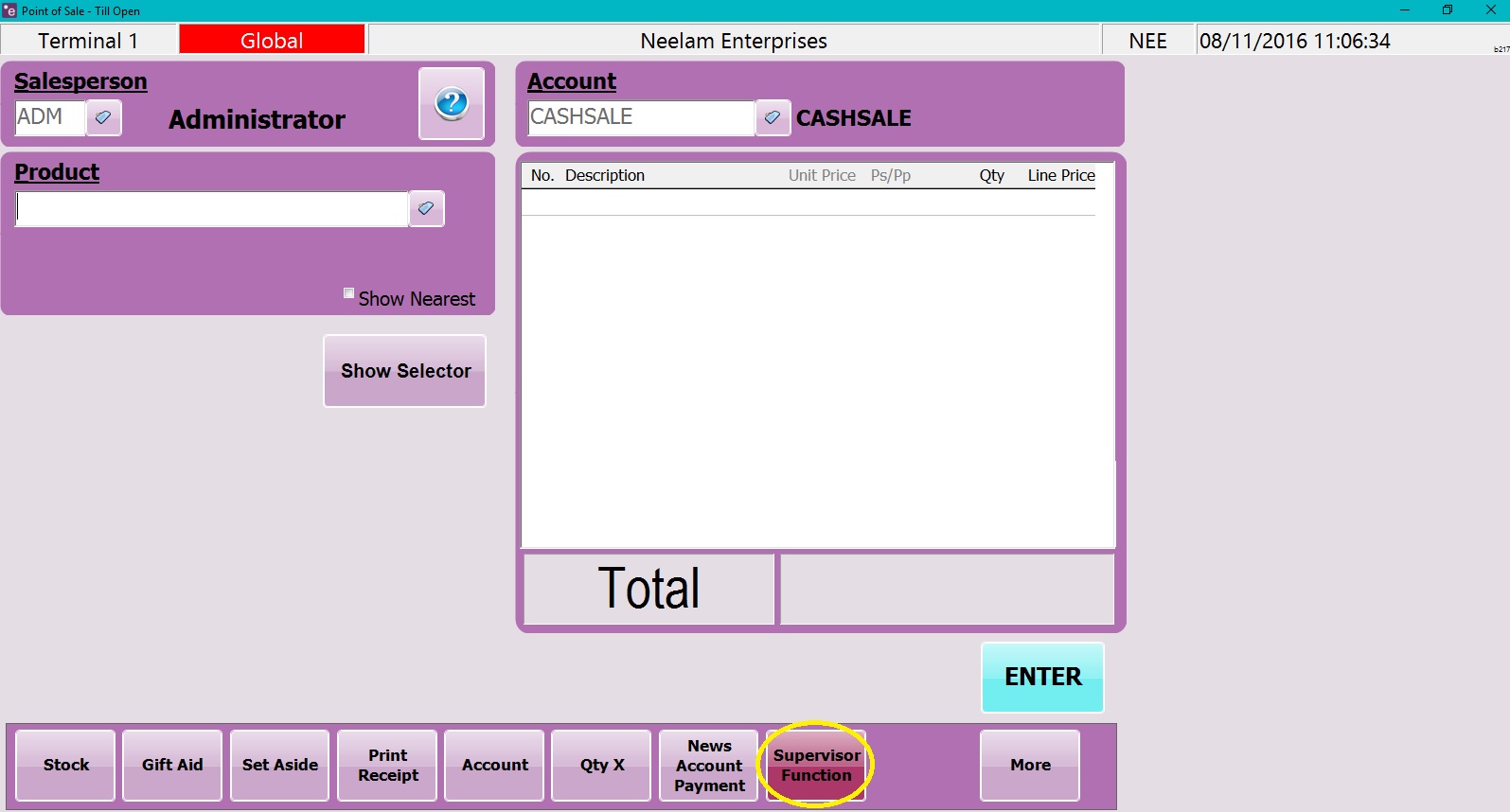
1. At the bottom of the screen, click on the ‘Supervisor Function’ icon.
2. Click on ‘Till Setup’.

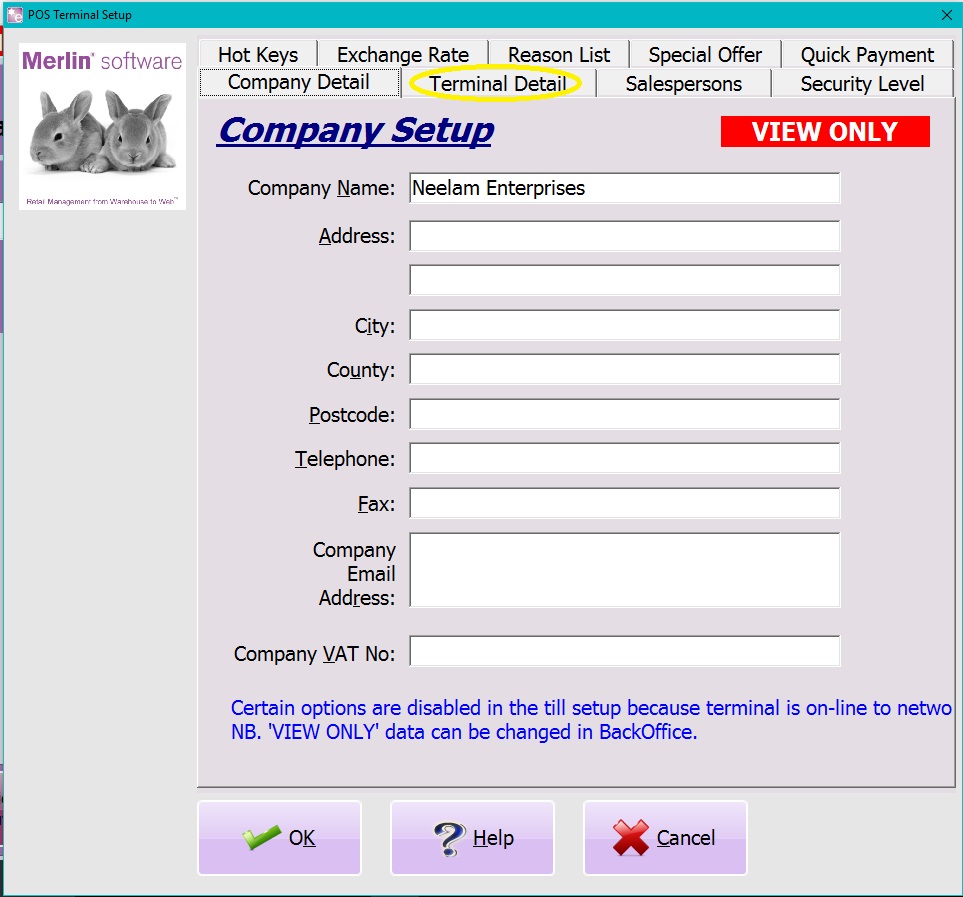
3. Click on the ‘Terminal Detail’ tab.
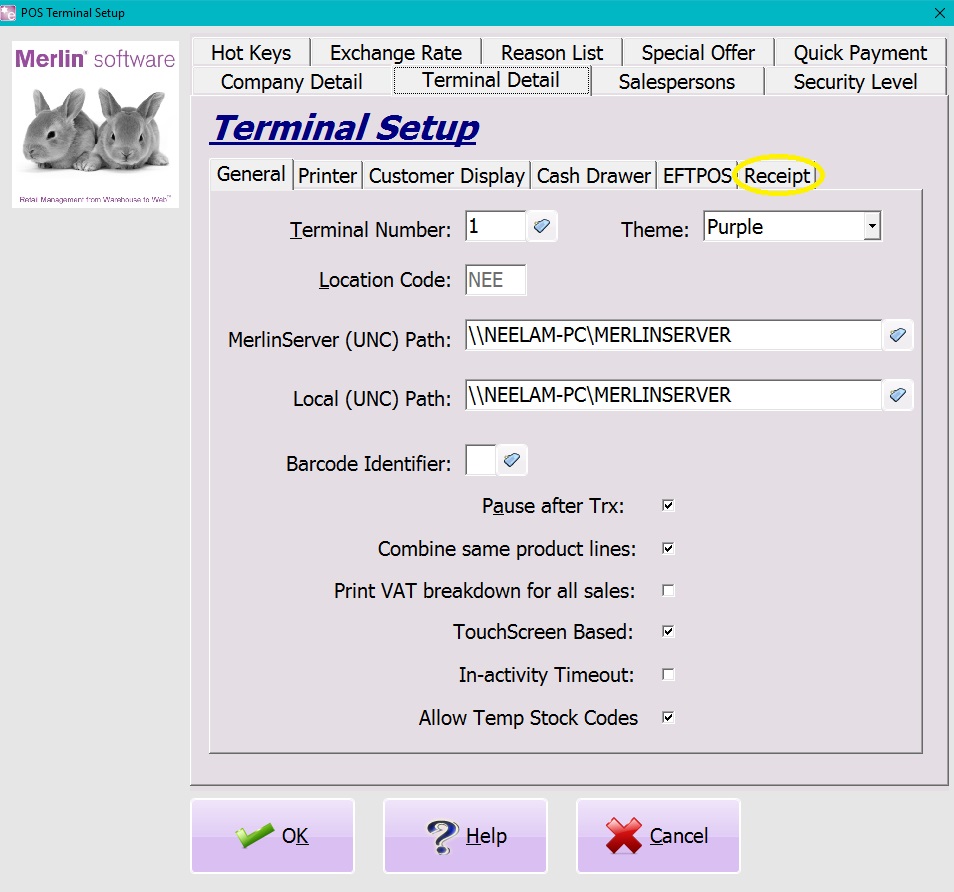
4. Underneath Terminal Setup, click on the ‘Receipt’ tab.
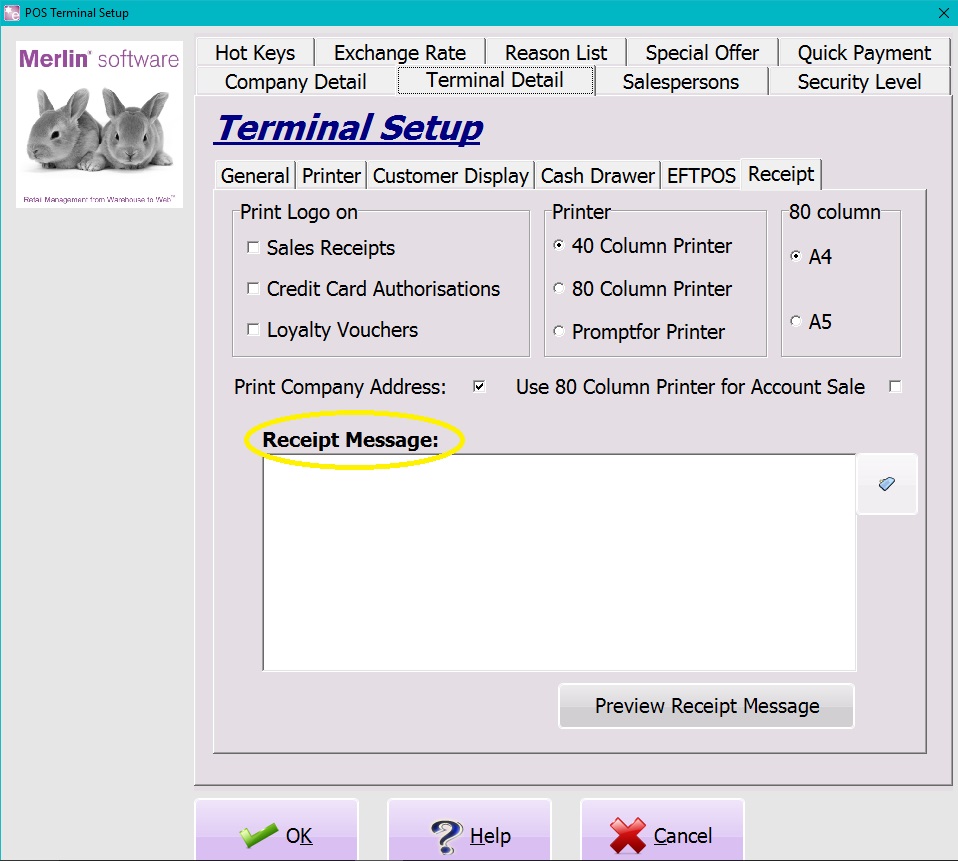
5. There will be a ‘Receipt Message’ window, write your note here. Click ‘OK’.
0 Comments