This tutorial will show you how to advise your customer on utilising Merlin's system to reset the password of their accounts on your .merlintickets website. This in turn should allow you to inform and advise your customers on how to change their password in the event that they forget it.
First off, the customer must be on your ticketing website (i.e. https://merlindemo.merlintickets.co.uk), then they must click on the 'Login' text on the top right-hand side of the page. After clicking this, they will be re-directed to the login page of your website, as such:
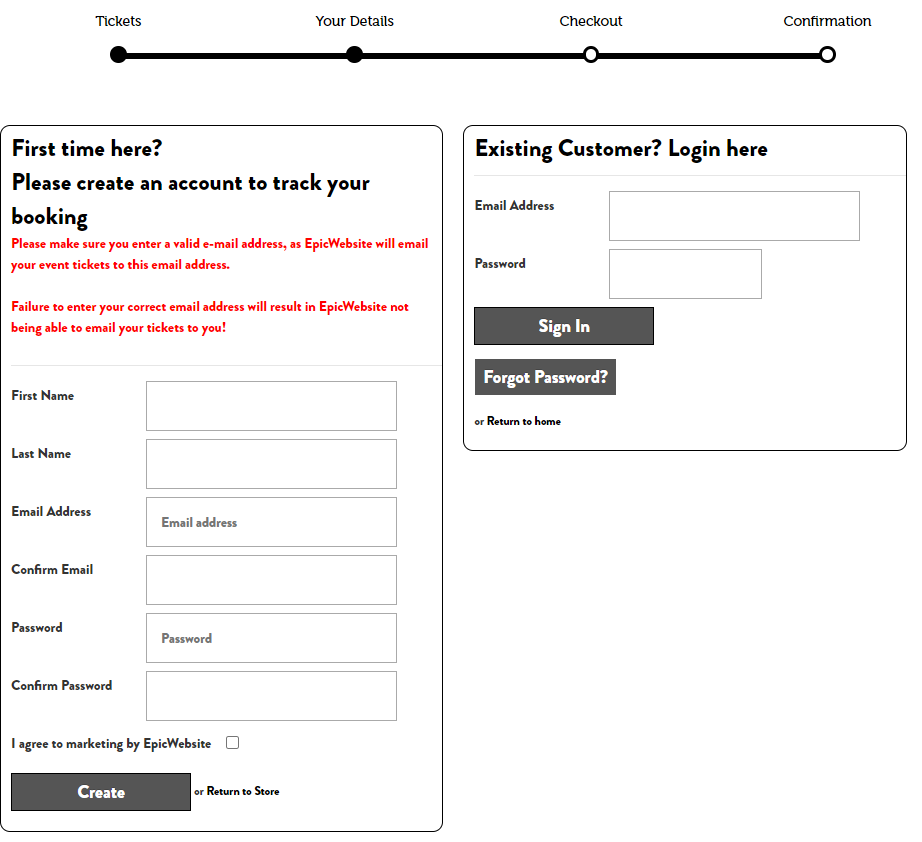
Once on this page, click the  button, this will then re-direct them to the password reset page, which looks like this:
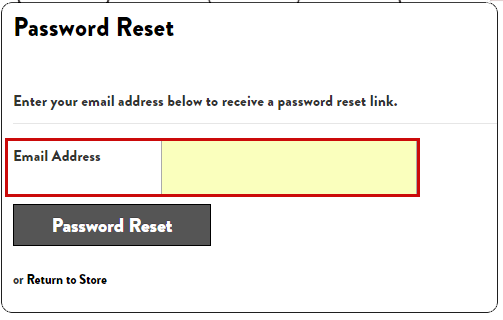
the customer will now have to type in their E-mail address in the text field provided (the E-mail typed into this field must coincide with the email the customer allocated to the account they are trying to recover), then they must click the  button. Upon clicking this button, they will be re-directed back to the tickets home page and the E-mail they have typed into the text field should receive a password reset E-mail, which should look like this:

The contents of the E-mail should consist of something along these lines:
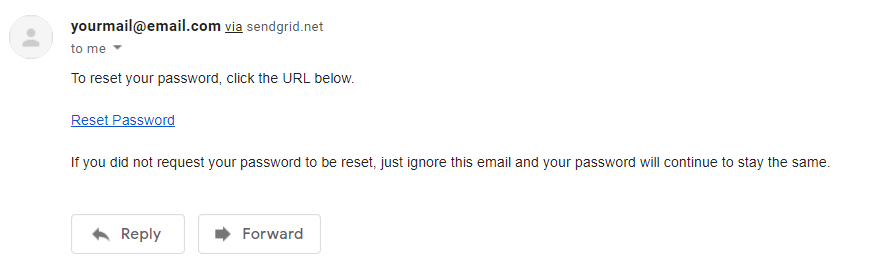
They then need to click the 'Reset Password' highlighted in blue (hyperlink), this will open a new tab and direct them to the password creation page on the ticketing website. It should look similar to this:
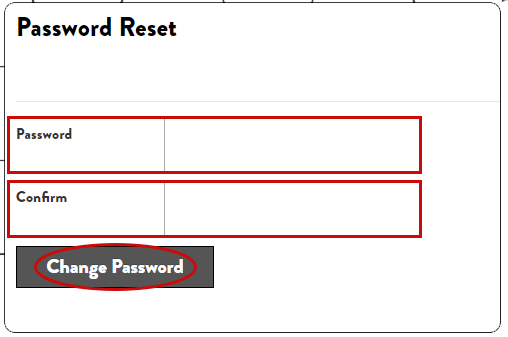
In the 'Password' text field: Here the customer must type the new password which they would like the account coinciding the E-mail previously specified to have. (Note: this is case sensitive)
In 'Confirm': Here the customer needs to repeat the text they have typed in the 'Password' field in order to confirm that they know the password that they will be using. (Also case sensitive)
'Change Password': After they have done the above they can now click the 'Change Password' button, if it then re-directs them to the ticketing home page it means the password has been successfully reset and changed.
You should now be able to show your customer how to reset their password in the event that they forgot it.
0 Comments