This is for users with admin access to Merlin Tickets. You can access the admin area by viewing your website (e.g. https://merlindemo.merlintickets.co.uk) then adding /admin to the end of the URL (e.g. https://merlindemo.merlintickets.co.uk/admin)
In this article, we will show you how to utilise the customer reports found in Merlin Online in case one of your customers mistype or incorrectly put in details (i.e. E-mail, Phone number)
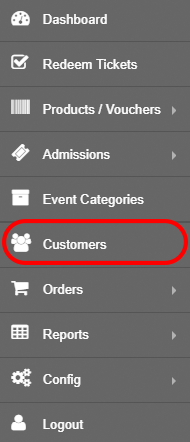
To access this, you must be logged into Merlin Online and go to 'Customers':
You should now be on the customers page, which looks as such:

You can use the search bar on the top left-hand side of the screenshot. This allows you to narrow down the results to find specific customers or e-mails used.
To edit the customer's details, click  as such:

After clicking this, you should now be directed to 'Edit Customer' page, which looks as such:
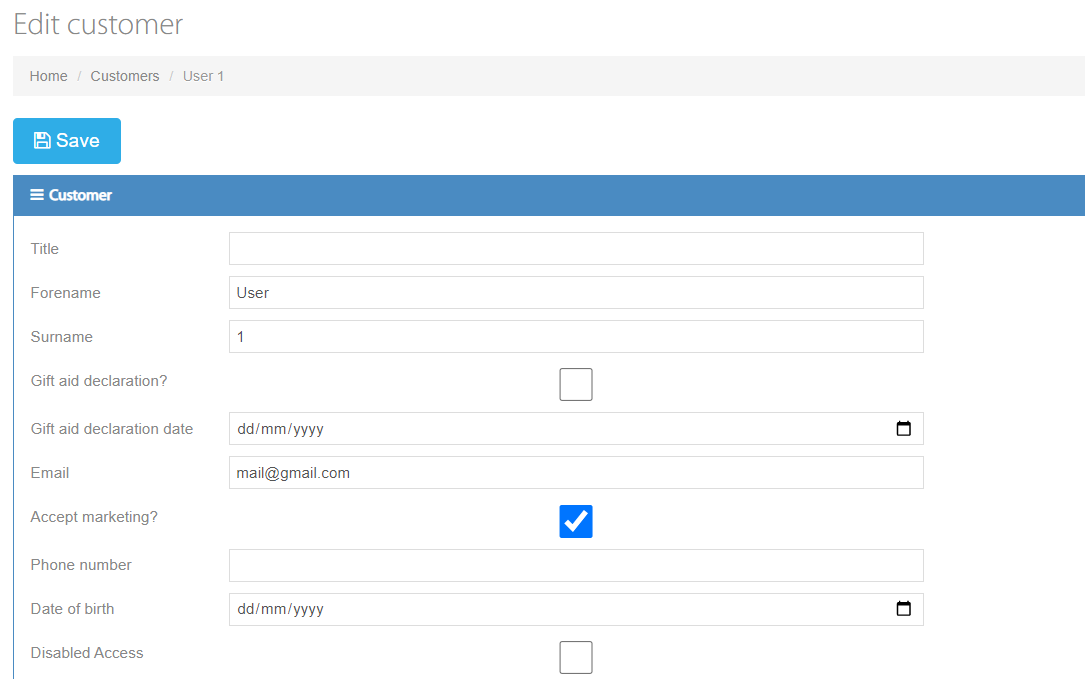
Here you have the ability to change a vast array of customer data, ranging from e-mail, disabled access, dietary notices and even adding custom notes.
To change the customer's e-mail, go to the E-mail text box:
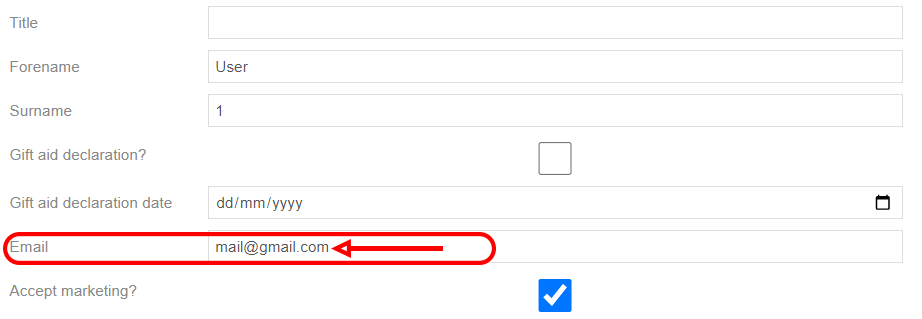
Then type in the new/correct e-mail the customer would like to have (Note: this text box is case sensitive, so make sure if the e-mail is lowercase, you type the whole text as lowercase), once you have done this, scroll back to the top and click 'Save'

Your customer's e-mail should now be changed and can continue to use your website!
Still need some help? Contact us on +44(0)1226 294413
0 Comments