This is for users with admin access to Merlin Tickets. You can access the admin area by viewing your website (e.g. https://merlindemo.merlintickets.co.uk)then adding /admin to the end of the URL (e.g. https://merlindemo.merlintickets.co.uk/admin)
In this article, we shall be showing you how to add your own frequently asked questions, a refund policy and a privacy policy, a recently added feature to Merlin Online.
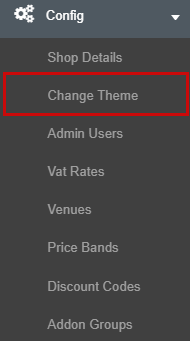
To start off with, make sure you are in the admin area. Then look for the 'Config' menu on the left-hand navigation bar

Select/click the 'Config' menu, this should provide a dropdown menu with more options, select the 'Change Theme', as such:
Now that you are on the 'Change Theme' page, you should now see a row of clickable text inside the 'Template editor' box. Look for the three options as highlighted below.

For more information on customising your text boxes in Merlin Tickets follow this article: Making Your Event's Description More Eye-Catching
Refund Policy:
This can be found on the footer of your '.merlintickets' website. This is used for setting up company refund policies and alternatively return policies as well. Below is an example from the point of view of the administrator:

Here is how it looks from a customer's perspective:

Privacy Policy:
This is where you can include information on how you store and utilise your customers' information. Below is an example set from the admin area:
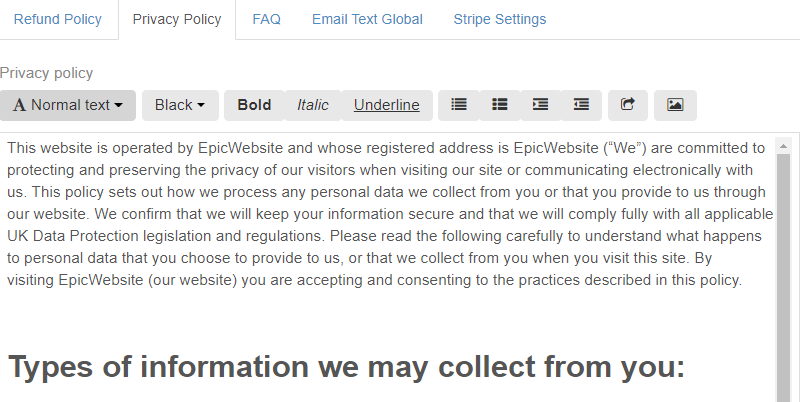
Here is how it looks from the customer's perspective:

FAQ:
FAQs or frequently asked questions are used as a source of information for customers. Pieces of information such as closing times, parking costs and access to the site can be very helpful for your customers. Below is an example set from the admin area:
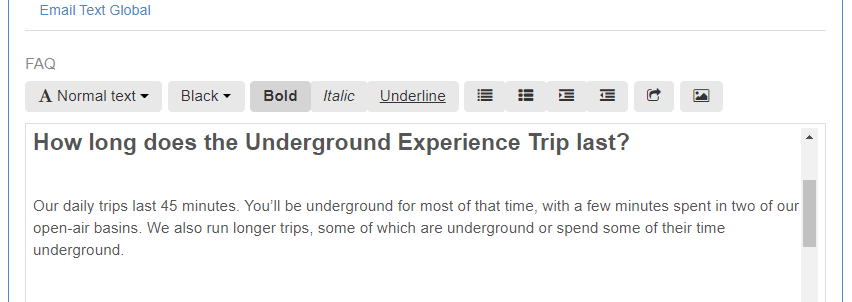
Here is how it looks from the customer's perspective:

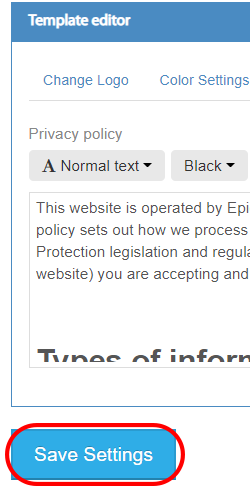
Now that you have set your refund policy, your privacy policy and FAQ in Merlin tickets; you now need to save them. To do this select/click the 'Save Settings' button underneath the text box:
There you have it, your live ticketing website should now have an one of these new features or all of them!
0 Comments