This is for users with admin access to Merlin Tickets. You can access the admin area by viewing your website (e.g. https://merlindemo.merlintickets.co.uk) then adding /admin to the end of the URL (e.g. https://merlindemo.merlintickets.co.uk/admin)
In this article, we will show you how to add venues to Merlin Online, this allows you to sell tickets on the same .merlintickets website but have multiple venues/locations that you operate in.
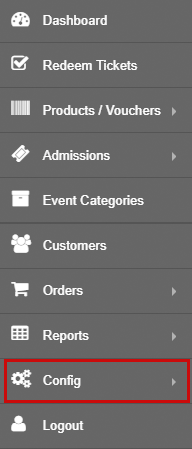
To start off, you should be logged into the Merlin Online admin area then on the left-hand menu go to 'Config':
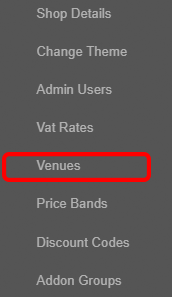
Then go to 'Venues':
You will then be directed to this page:

Here click the  button, this will direct you to add venue page:
As seen below, I have added a brief description to each text field in order for greater clarification
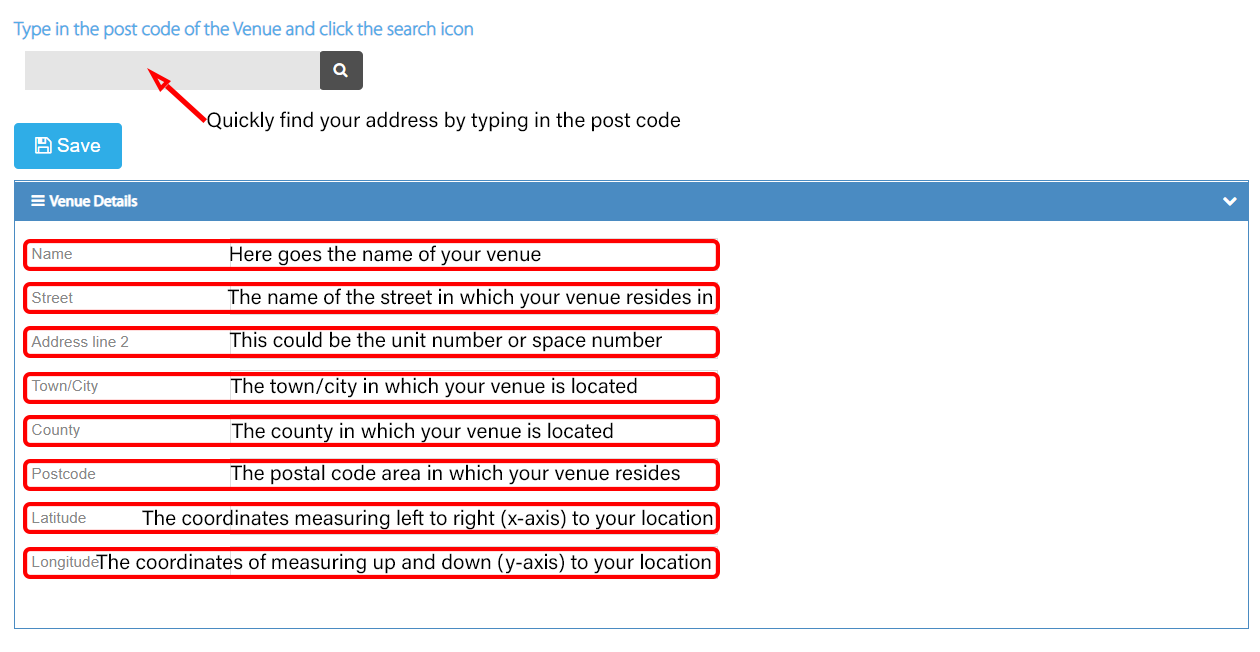
After you have filled in those details, click the  button to save the details. You will then be re-directed back to the 'Venues' page, in which your new venue will be found
Here is an example venue I have completed to get a scope of how it is done:
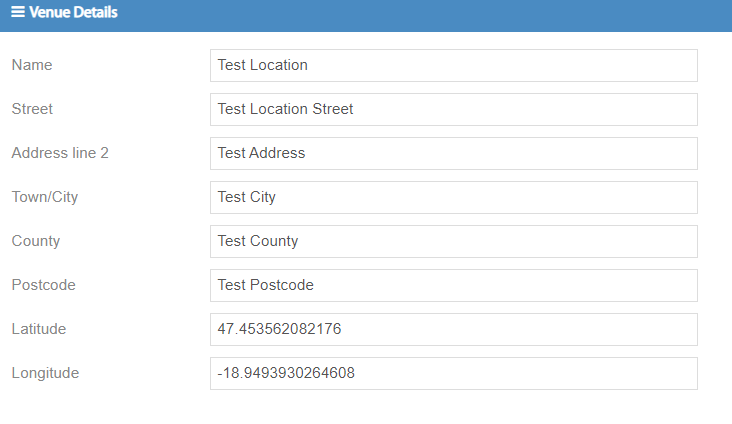
To test that your venue appears, go to Admissions > Events and then select one of your events (for information on creating events, check this: Creating an Event, Adding Tickets & Selecting Dates)
Once on the edit event page, you will see a drop down box titled 'Event location' 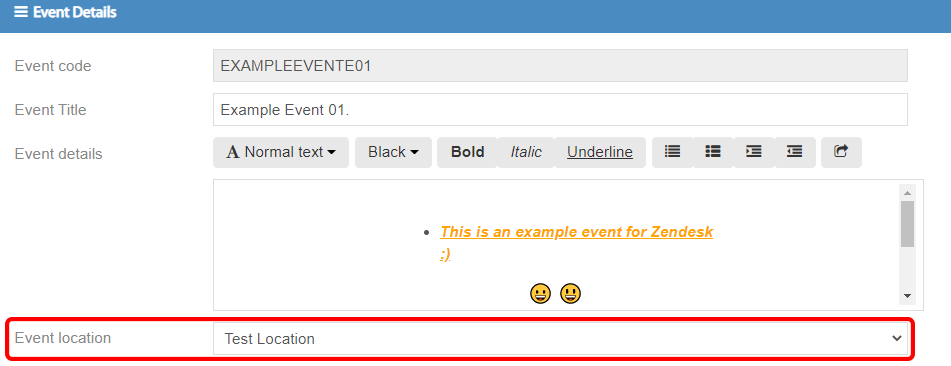
Click on it and you should see your location included in the drop down box

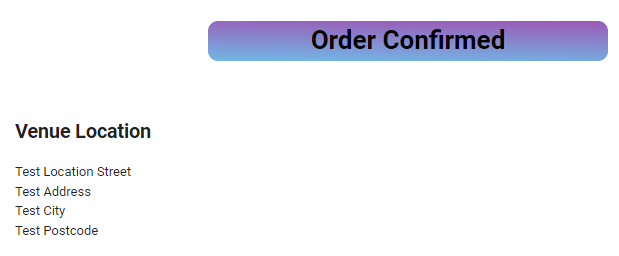
Once that is saved, you may exit the admin area and check your live site with the previously chosen event that has the 'event location' added. The event description and confirmation e-mail should now have the location entered in the venue details.
As such:

And such for the e-mails:
Still need some help? Contact us on +44(0)1226 294413
0 Comments